File Explorer
In the project workspace, the Explorer section is used to view files.
Accessing the Explorer
In the right sidebar, click the Explorer icon to open the file tree.

File Structure
Project files are displayed as a tree:
my-project/
├── src/
│   ├── App.jsx
│   ├── index.js
│   └── components/
│       ├── Header.jsx
│       └── Footer.jsx
├── public/
│   └── index.html
└── package.json
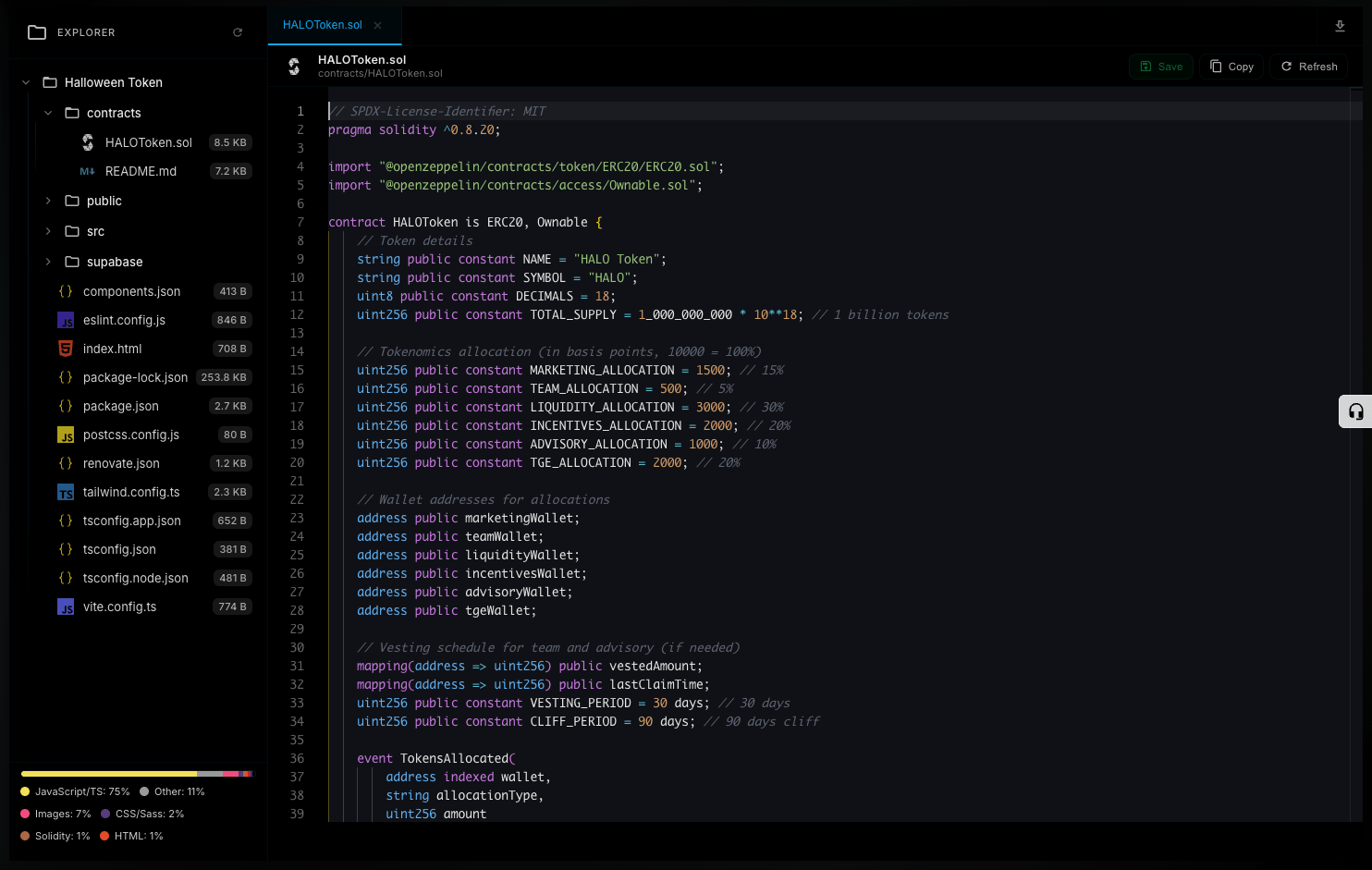
Opening Files
Click on a file name to open it in the Source tab.
Folders
Click on a folder to expand or collapse it.
Viewing Code
When you open a file in the Source tab:
- Syntax Highlighting: Color-coded based on language
- Line Numbers: Each line is numbered
Supported Languages
| Language | Extension |
|---|---|
| JavaScript | .js, .jsx |
| TypeScript | .ts, .tsx |
| HTML | .html |
| CSS | .css |
| JSON | .json |
Sidebar Tools
In the right sidebar you have these tools:
| Tool | Purpose |
|---|---|
| Explorer | Browse files |
| Website | Publish settings |
| Download | Download project |
Editing Files
To change code, use the chat:
"Modify App.jsx and change the button color to red"
The AI will edit the file and show the changes.
info
File editing is done through chat with the AI.