Smart Contracts
0xMinds supports Solidity smart contracts. You can write, compile, and deploy contracts directly from the platform.
Accessing Contract Tools
In the project workspace, click the Solidity tab to access smart contract tools.

Writing Contracts
Ask AI to create a smart contract:
"Create an ERC-20 token with name 'MyToken' and symbol 'MTK'"
"Write a simple NFT contract"
AI generates .sol files in your project.
Compiling Contracts
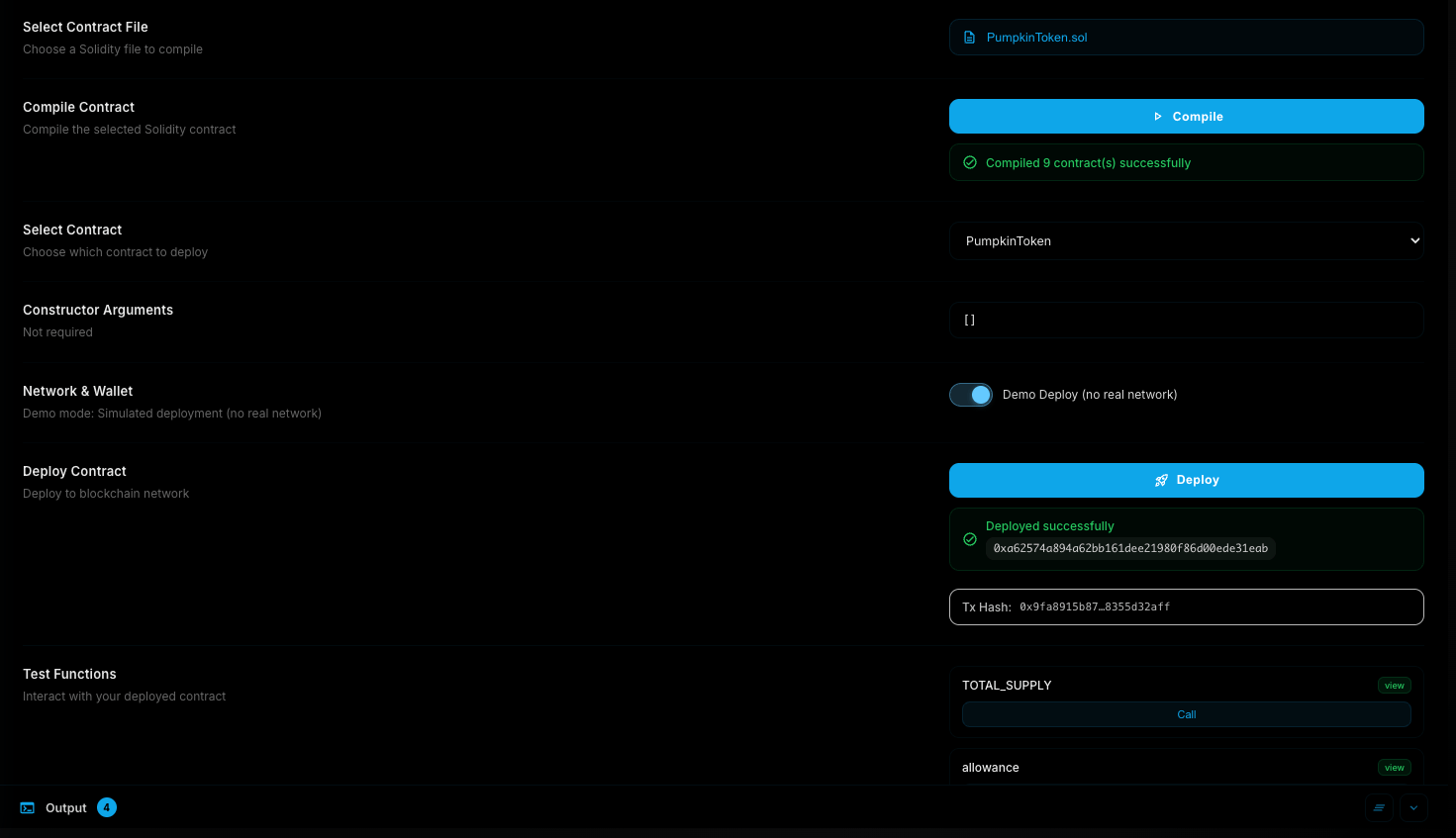
- Select a Solidity file from the list
- Click Compile
- View results (green = success, red = errors)
If compilation fails, click "Solve with AI" to automatically fix errors.
Deploying Contracts
Constructor Arguments
If your contract has constructor parameters, enter them as JSON array:
["MyToken", "MTK", 1000000]
Click Auto-fill to generate example values.
Deployment Modes
| Mode | Description |
|---|---|
| Demo | Simulated deployment, no wallet needed |
| Real Network | Deploy to actual blockchain |
Supported Networks
| Network | Type |
|---|---|
| Ethereum | Mainnet |
| BSC | Mainnet |
| Polygon | Mainnet |
| Sepolia | Testnet |
| BSC Testnet | Testnet |
Deploy Steps
- Connect wallet (for real network)
- Select network
- Click Deploy
- Confirm transaction in wallet
Testing Functions
After deployment, test your contract:
- Read functions: Free, view data
- Write functions: Require gas, change state
Saved Contracts
Previously deployed contracts are saved and shown with:
- Contract name
- Network
- Address
- Explorer link
Tip
Use testnets (Sepolia, BSC Testnet) for testing before mainnet.